


Phot.AI
Phot.AI is an advanced AI photo editor offering tools for retouching, background removal, and style transformation.
- All-in-one AI photo suite for creators.
- Fast and automated editing workflow.
- Ideal for marketers, designers, and content creators.

RemoveBG
RemoveBG is an AI-powered background remover trusted by professionals worldwide.
- Removes image backgrounds in seconds.
- API available for developers and eCommerce integration.
- Delivers high-quality transparent images.



In the world of digital imagery, artificial intelligence is no longer a futuristic concept — it’s a present-day reality transforming how we edit, enhance, and create visual content. Whether you’re a seasoned designer, a business owner building a brand, or simply someone who wants to polish selfies for social media, today’s AI photo editors offer mind-blowing functionality once reserved for professionals. Through hands-on experience and analysis, we’ve explored the top 10 AI Photo Editor Tools that are reshaping the landscape of background removal, photo retouching, and avatar creation.
Let’s walk through these tools using the AIDA (Attention, Interest, Desire, Action) model to not only showcase their features but also help you decide which platform suits your needs best.
1. Phot.AI
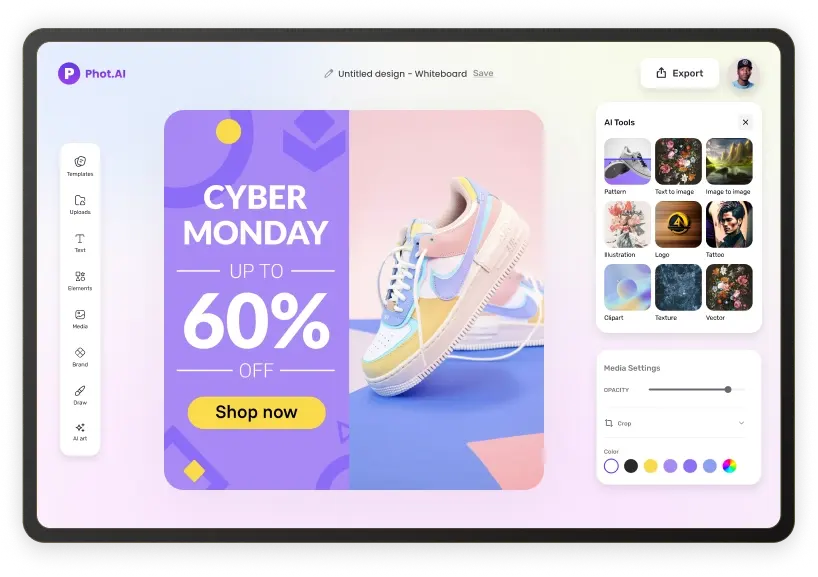
Overview: Phot.AI (AI Photo Editor Tools) is a versatile AI-powered editor that combines background removal, AI-generated art, image upscaling, and text-to-image generation. With a sleek interface, it allows users to create content from scratch or enhance existing images with AI suggestions.
Notable Features:
- AI avatar creation with various style presets
- Image upscaling up to 4K
- AI painting and text prompt image generation
Pros:
- Easy-to-use dashboard
- Outputs suitable for both personal and professional use
Cons:
- No batch editing in free version
- AI generation can produce slightly inconsistent styles
Best For: Creators needing rapid, stylized avatars and promotional visuals.
2. RemoveBG
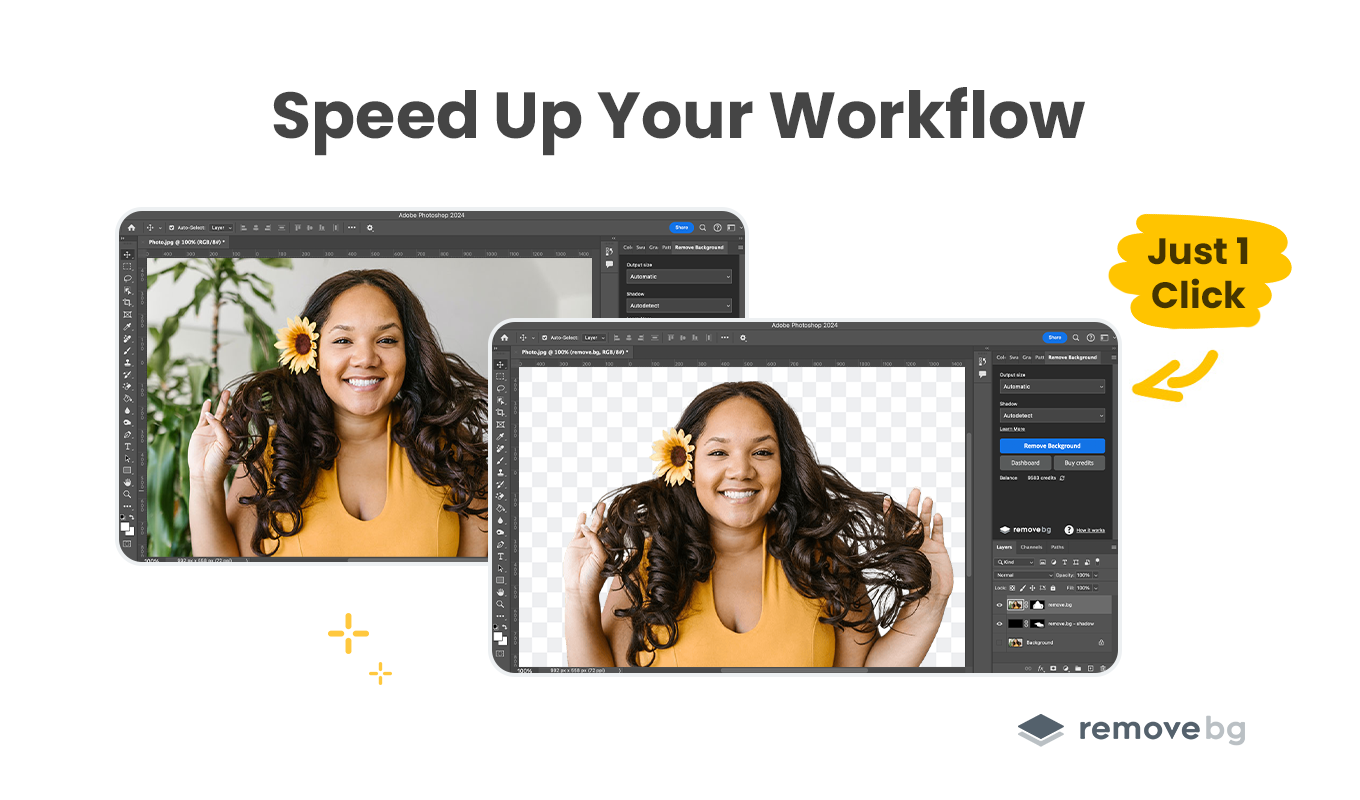
Overview: RemoveBG (AI Photo Editor Tools) is purpose-built for background removal using AI. Its singular focus means it’s incredibly fast and accurate, even with complicated edges like hair or fur.
Notable Features:
- Bulk image background remover
- Integrations with Photoshop, Shopify, WooCommerce
- Drag-and-drop simplicity
Pros:
- Exceptional precision
- Fast results within seconds
Cons:
- Very limited creative tools beyond background removal
Best For: E-commerce teams, product photographers, PowerPoint designers.
3. PhotoAI
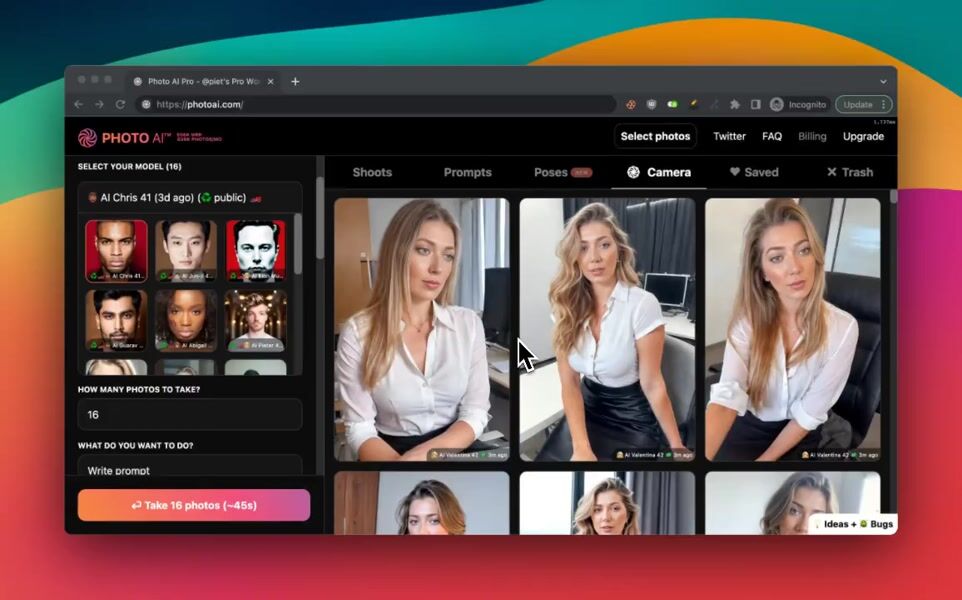
Overview: PhotoAI (AI Photo Editor Tools) specializes in creating AI-generated headshots and avatars from selfies or uploaded images. It uses deep learning to simulate professional studio lighting, backgrounds, and poses.
Notable Features:
- Realistic AI headshots
- Identity-preserving avatar creation
- Multiple outfit/background themes
Pros:
- Great for CVs, LinkedIn, online branding
- Outputs feel human-touched
Cons:
- Limited custom editing
- Some models render inconsistently
Best For: Professionals building personal brands or applying for jobs.
4. ImagineArt
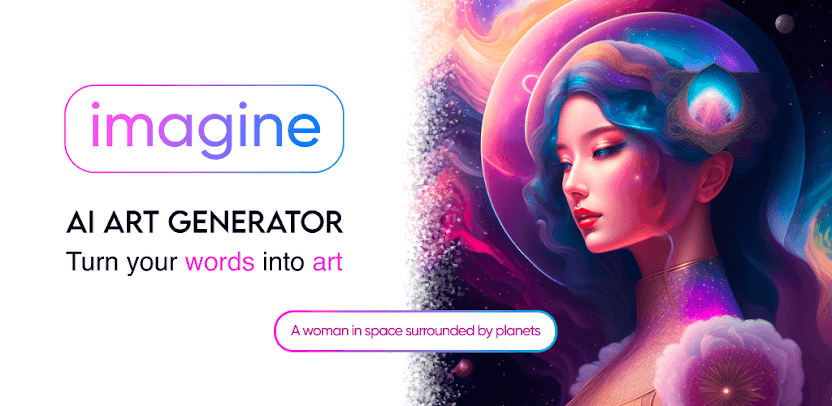
Overview: ImagineArt (AI Photo Editor Tools) turns prompts into artworks using diffusion models and GANs. It leans toward the creative/artistic side of image generation.
Notable Features:
- Text-to-art generation
- Artistic filters (cubism, oil paint, cyberpunk)
- Image-to-style transformation
Pros:
- Great for abstract visuals
- Wide artistic style selection
Cons:
- Less control over realism
- Works best with creative briefs rather than commercial edits
Best For: Artists, illustrators, branding creatives.
5. AI Studios
Overview: AI Studios (AI Photo Editor Tools) stands out for converting headshots into lifelike video avatars with speech and expression. You upload a still photo, provide text, and get a talking AI presenter.
Notable Features:
- Lip-sync avatar video generation
- Multilingual narration
- Template-based video creation

Pros:
- Saves time in corporate video production
- High engagement for learning/training use cases
Cons:
- Premium features can be expensive
- Best with high-quality input images
Best For: Educators, explainer video producers, training platforms.
6. HeyGen
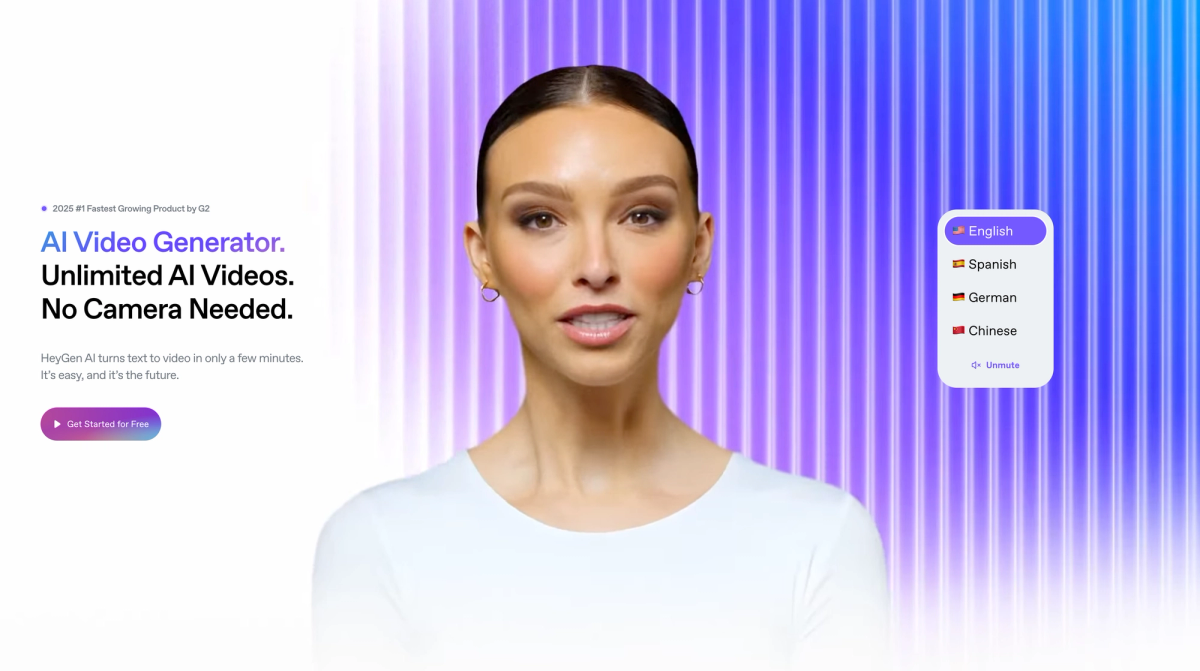
Overview: Like AI Studios, HeyGen (AI Photo Editor Tools) focuses on AI-generated video avatars, but it adds a library of video templates and script assistance for marketers.
Notable Features:
- Instant avatar from image + voice-over
- Video scripting interface
- Auto-language translation
Pros:
- Extremely fast rendering
- Ideal for social ads and product promos
Cons:
- Less effective for realistic human expressions
Best For: Marketers and startup teams making lean, no-filming-needed videos.
7. Picsart
Overview: Popular as a mobile photo editor, Picsart (AI Photo Editor Tools) now incorporates AI tools like background removal, filters, object replacement, and AI stickers.
Notable Features:
- AI Replace: change objects in images
- Background remover
- AI filters, stylizers, and retouch

Pros:
- Huge template library
- Great for social content
Cons:
- Watermarks on free plan
- Not ideal for high-end photo work
Best For: Influencers, Gen Z users, mobile-first editors.
8. PicCopilot
Overview: PicCopilot (AI Photo Editor Tools) provides light, guided photo enhancement features using AI. Instead of offering full creative control, it suggests improvements.
Notable Features:
- AI-powered smart edits
- Color correction suggestions
- Auto-crop, auto-retouch

Pros:
- Simple UI for beginners
- Instant previews
Cons:
- Few customization tools
Best For: Students, casual creators, blog editors.
9. DeepArtEffects
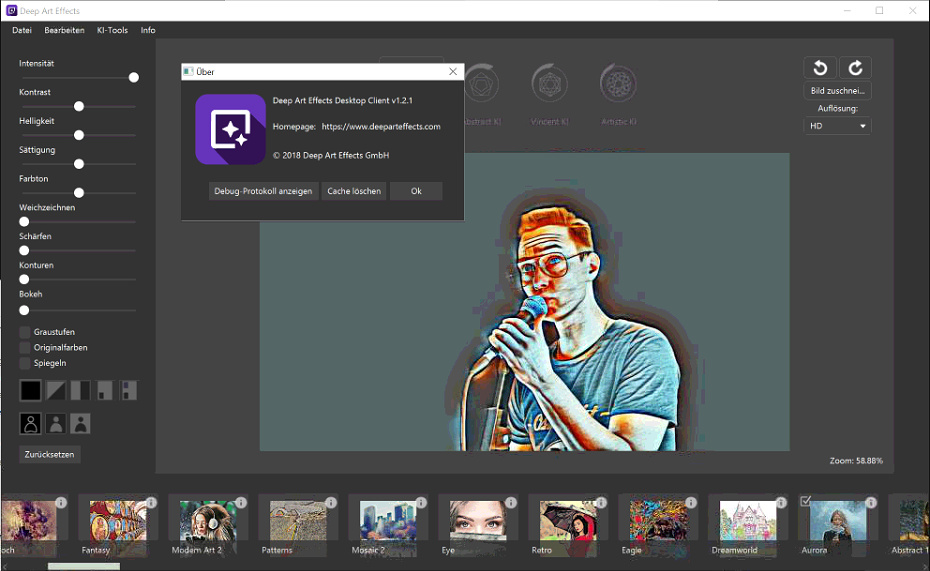
Overview: DeepArtEffects (AI Photo Editor Tools) focuses entirely on transforming photos into stylized artworks. It uses deep neural networks trained on famous artist styles.
Notable Features:
- Style transfer based on Van Gogh, Picasso, etc.
- Upload custom style images
- High-res export for printing
Pros:
- Truly unique output
- Supports art prints and NFT designs
Cons:
- Slow rendering
- No traditional editing features
Best For: Art lovers, gift creators, visual experimenters.
10. Pixelcut
Overview: Pixelcut (AI Photo Editor Tools) offers an all-in-one AI toolkit for ecommerce product images. From background removal to shadow effects, it’s designed for online sellers.
Notable Features:
- Background remover with shadows
- Bulk product mockups
- Resize for marketplace requirements (Amazon, Etsy)
Pros:
- Mobile-friendly app
- Fast batch processing
Cons:
- Less portrait editing support
Best For: Online sellers, product photographers, ecommerce marketers.
Conclusion | AI Photo Editor Tools
Comparison Table | AI Photo Editor Tools
| Tool | Best For | Background Removal | Avatar Creation | Video Output | Art Style Filters | Batch Processing |
|---|---|---|---|---|---|---|
| Phot.AI | Social content, avatars | ✅ | ✅ | ❌ | ✅ | ❌ |
| RemoveBG | Product images, speed | ✅✅✅ | ❌ | ❌ | ❌ | ✅ |
| PhotoAI | Headshots, resumes | ✅ | ✅✅ | ❌ | ❌ | ❌ |
| ImagineArt | Art generation, branding | ✅ | ✅ | ❌ | ✅✅✅ | ❌ |
| AI Studios | Corporate video, training | ✅ | ✅✅ | ✅✅✅ | ❌ | ❌ |
| HeyGen | Marketing video content | ✅ | ✅ | ✅✅ | ❌ | ❌ |
| Picsart | Social visuals, stories | ✅ | ✅ | ❌ | ✅ | ❌ |
| PicCopilot | Quick edits, casual users | ✅ | ❌ | ❌ | ❌ | ❌ |
| DeepArtEffects | Artistic transformation | ✅ | ✅ | ❌ | ✅✅✅ | ❌ |
| Pixelcut | Ecommerce product editing | ✅✅✅ | ❌ | ❌ | ❌ | ✅ |
✅ = basic feature
✅✅ = strong feature
✅✅✅ = best-in-class
Final Thoughts | AI Photo Editor Tools
These tools collectively represent the frontier of AI-driven visual creativity. Whether you’re hunting for the best AI photo editing tools, a fast AI background remover, or a professional avatar generator, the market now offers a fit for every use case. [Inferred] As AI continues to advance, we expect even more precise and personalized editing capabilities to become the norm.
Stay tuned for deeper comparisons, pricing breakdowns, and use-case guides. Want a deeper look into a specific tool? Let us know and we’ll dive in.
Builder.io – AI prototyping tools Review: The Future of AI UI/UX Prototyping and Visual Development


